

Last Updated: November 1, 2026
Quick Summary
The best ways to upgrade home security start with a room-by-room assessment that ranks every entry point by visibility, access, and condition, then fix the highest-risk points first. Reinforce doors, frames, and deadbolts before buying cameras, and layer deterrence, detection, delay, and response so no single weak layer undermines the rest.
- Replace short factory strike plate screws with long screws that bite into the wall stud.
- Rekey locks after moving in so old keys stop working while hardware stays in place.
- Most residential cameras detect motion at 30 feet but only recognize a face at 10-15 feet.
- Motion-activated lighting is the cheapest layer of deterrence and often the most effective.
- Test battery devices monthly and the whole alarm panel quarterly.
Table of Contents
- Start With a Room-by-Room Security Assessment
- Reinforce Doors, Frames, and Deadbolts First
- Choosing the Best Door Locks for Home Security
- Are Smart Locks for Home Use Worth It?
- How to Rekey Locks After Moving In
- Planning a Home Security Camera System
- Layer In Alarm Systems, Motion Sensors, and Lighting
- Book a Professional Security Walkthrough
- Frequently Asked Questions
Start With a Room-by-Room Security Assessment
The best ways to upgrade home security start with a walkthrough, not a shopping cart.
A proper security assessment is a documented review of every possible way into your home, scored by exposure and vulnerability.
Score each entry point on three factors:
- Visibility: Can a neighbor or passing car see someone at this spot?
- Access: Is it reachable from the ground, a fence, or a low roof?
- Condition: Does the hardware actually latch, or does it just look closed?
Rank the results and fix the highest-risk points first. That list becomes your budget plan and stops you from buying a camera for a door whose frame is already splintered.
Reinforce Doors, Frames, and Deadbolts First
Doors fail at the frame far more often than at the lock.

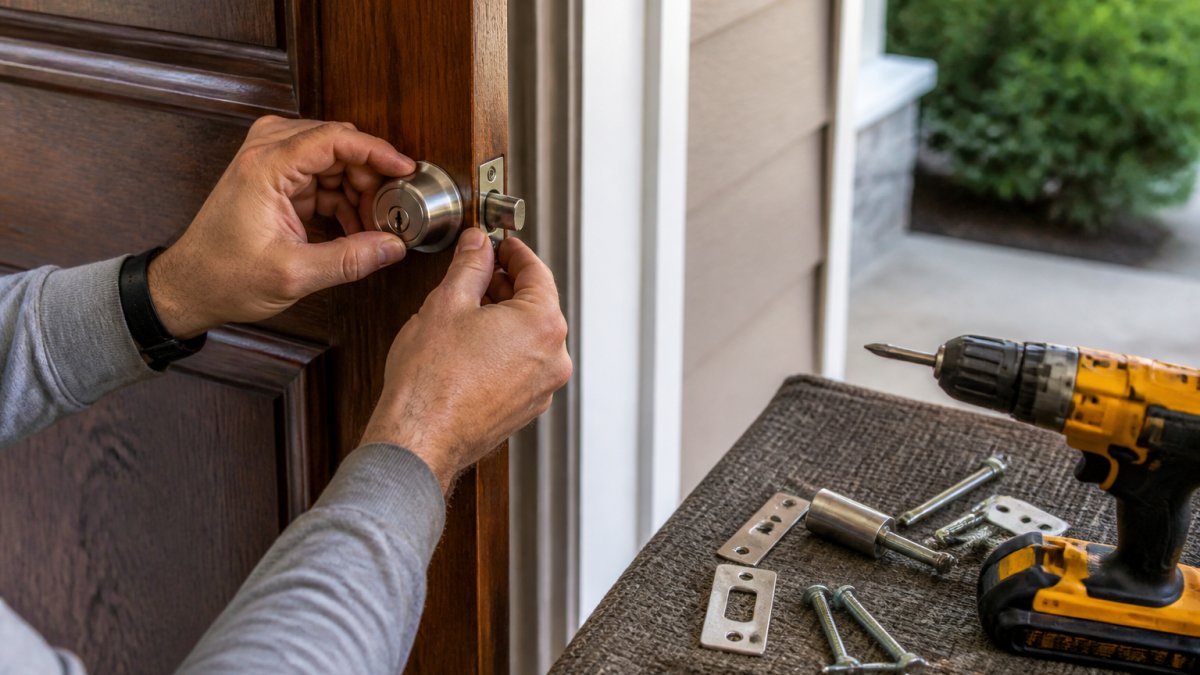
Start with three cheap, high-impact fixes:
- Strike plate: Replace the short factory screws with long screws that bite into the wall stud behind the frame.
- Frame reinforcement: A metal wrap or reinforced jamb kit stops the frame from splitting under force.
- Deadbolt throw: Make sure the bolt seats fully into the strike. A bolt that stops short is doing half its job.
A common mistake is buying an expensive lock and bolting it to a hollow frame. The hardware looks impressive and fails anyway.
Choosing the Best Door Locks for Home Security
The best door locks for home security balance pick resistance, forced-entry resistance, and everyday usability. Look for hardware tested to recognized residential security standards (ANSI/BHMA Standards for Builders Hardware).
Match the lock to the door. Solid wood and reinforced frames can carry a heavy deadbolt.
Lock shopping is really about the whole door assembly. For deeper guidance, see Choosing High Security Door Locks That Actually Hold Up.
Are Smart Locks for Home Use Worth It?
Smart locks for home use are worth it if you want keyless entry, remote access, and a record of who came and went. They are less compelling if you want the simplest, most durable lock with no batteries, no app, and no network to maintain.
The practical upside is real: let in a contractor without hiding a key, revoke a code when a roommate moves out, and check whether the door is locked from your phone. The trade-offs are equally real:
- Power: Every smart lock depends on batteries or wiring.
- Connectivity: Remote access needs a reliable network and a compatible hub.
- Compatibility: A smart lock still has to fit your door and deadbolt prep.
Treat a smart lock as a convenience layer on top of solid mechanical hardware, not a replacement for it. If the mechanical deadbolt underneath is weak, smart features do not fix that.
How to Rekey Locks After Moving In
Rekey locks after moving in, before anyone else sleeps there. Rekeying changes the internal pins so old keys stop working while the existing hardware stays in place. It is faster and cheaper than replacing every lock, and it closes the gap left by previous owners, contractors, and anyone who ever held a spare.
Here is the process:
- List every exterior lock, including garage and back doors.
- Decide whether to rekey to one new key or keep separate keys per door.
- Have the locks rekeyed by a professional, or use a rekey kit if you are comfortable with the work.
- Test every key in every lock before the technician leaves.
- Hand out new keys only to people who need them.
Renters face a specific question here: can you change the locks yourself? In most cases you need the landlord’s permission, and the work should still be code-compliant.
Planning a Home Security Camera System
A home security camera system is only as useful as its placement and recording setup. More cameras is not the goal; coverage of the paths someone would actually take is, the front approach, back door, driveway, and any side gate. Plan on paper before you buy.
Map coverage before you shop
Start from the entry-point ranking you built in your security assessment. For each high-risk path, decide what the camera must answer: Who is at the door? Which way did they go? Was the gate opened? One well-placed camera often beats three pointed at the same spot.
Sketch the field of view for each candidate location. Most residential cameras advertise a diagonal field of view in the 100-130 degree range, but usable identification distance is much shorter than detection distance, a camera may detect motion at 30 feet but only recognize a face at 10-15 feet.
Wired vs. wireless, and what each really costs you
- Wired (PoE or coax): More reliable power and data, no battery swaps, and generally better uptime. The trade-off is installation: running cable through walls and attics, or paying a professional to do it. Best for a permanent setup where you can reach the eaves and interior walls.
- Wireless (Wi-Fi or cellular): Easier to install and reposition. The trade-offs are battery maintenance, Wi-Fi dead zones, and the fact that a determined intruder can jam or cut the signal. Best for renters, outbuildings, and spots you cannot easily wire.
- Battery/solar hybrids: Convenient for gates, sheds, and fences, but performance drops in cold weather and heavy cloud cover, and you will still service batteries on a schedule.
Storage: local, cloud, or both
- Local storage (NVR/DVR or a camera SD card): Footage stays in your home, there are no subscription fees, and you control the data. The weakness is that a thief who takes the recorder takes the evidence, so mount the recorder somewhere out of sight and consider a locked cabinet.
- Cloud storage: Footage survives a stolen or destroyed recorder and is accessible remotely. The trade-offs are monthly fees, bandwidth use, and the fact that your video leaves your home. Retention windows vary by plan, check how many days of footage you actually get before you rely on it.
- Hybrid: Record locally for full resolution and back up events to the cloud. This is the most resilient pattern for most households, but it costs more upfront and often carries a subscription.
Power, network, and privacy
Every camera needs power and a network path. PoE cameras draw power over the same cable that carries data, requiring a PoE switch or injector. Wi-Fi cameras need a strong signal at the mounting point, test it with your phone before you drill. Put cameras and the recorder on a separate network or guest VLAN where supported, change default passwords, enable two-factor authentication, and keep firmware current.
Test the system, not just the app
After installation, walk the coverage: approach each camera from the street, side yard, and back gate, and confirm you can identify a face and read a license plate where it matters. Check night vision range and motion sensitivity, and tune zones so passing cars and pets do not trigger constant alerts. Review footage weekly for the first month, then monthly.
Before you buy, confirm the camera works with the recorder, app, and smart-home hub you already own. Compatibility is the most common reason a camera gets returned.
Before you buy, weigh each camera and storage option against what it is best for and its main trade-off.
| Option | Best for | Key difference |
|---|---|---|
| Wired (PoE or coax) | Permanent setups with reachable eaves and walls | Reliable power and data, no battery swaps |
| Wireless (Wi-Fi or cellular) | Renters, outbuildings, hard-to-wire spots | Easy install, but battery upkeep and signal jamming |
| Battery/solar hybrids | Gates, sheds, and fences | Convenient, but weaker in cold and heavy cloud |
| Local storage (NVR/DVR or SD card) | Keeping footage in the home | No subscription fees, but recorder can be stolen |
| Cloud storage | Surviving a stolen or destroyed recorder | Remote access, but monthly fees and bandwidth use |
| Hybrid storage | Most resilient pattern for most households | Local full resolution plus cloud event backup |
Layer In Alarm Systems, Motion Sensors, and Lighting
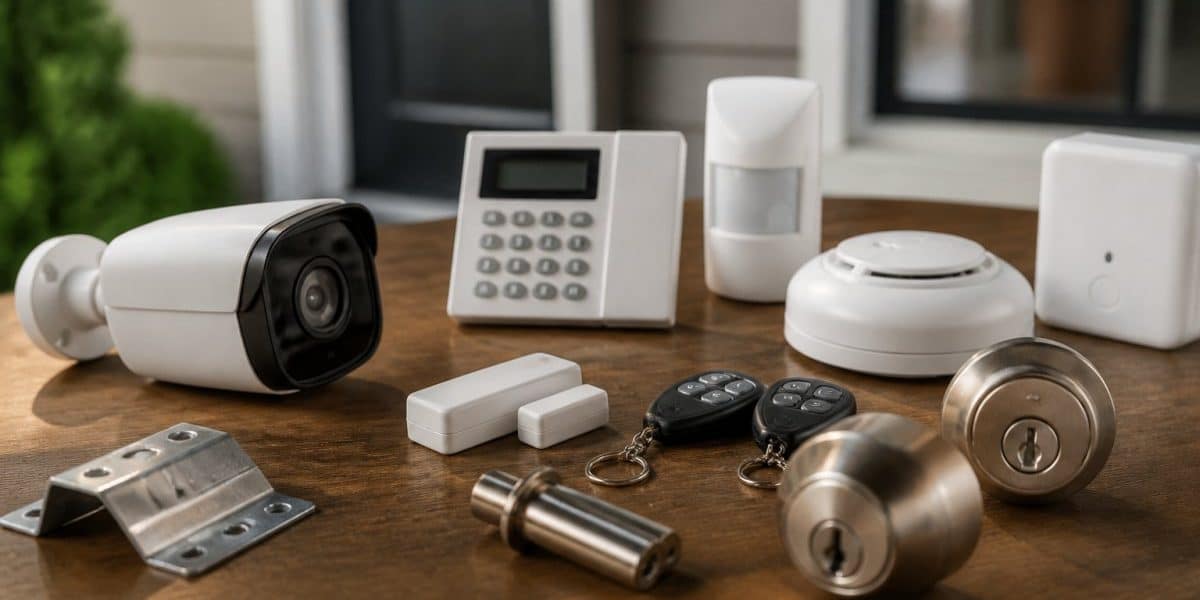
An alarm system turns separate upgrades into one coordinated response. The strongest setup layers four jobs: deter (make the house look occupied and hard to approach), detect (know when someone is at or inside an entry point), delay (slow an intruder long enough for detection to matter), and respond (alert you, a neighbor, or a monitoring center). Each layer covers the gaps in the others.
Build the layers in the right order
- Deter first. Visible exterior lighting, trimmed shrubs, a clear house number, and cameras in obvious spots change the calculation before anyone reaches a door. Motion-activated lighting is the cheapest layer and often the most effective.
- Detect second. Door and window contacts tell you when an entry point opens; motion sensors catch movement inside; glass-break sensors catch the sound of shattering. Put detection where your assessment found the highest-risk paths.
- Delay third. Reinforced frames, deadbolts, and window locks buy the minutes detection needs to become response. A sensor on a door that opens in two seconds gives you almost no time; the same sensor on a reinforced door buys real minutes.
- Respond last. Self-monitoring alerts your phone; professional monitoring routes alarms to a response center that can call you, a neighbor, or emergency services. Decide which you want before you buy the panel.
Choose monitoring by resilience, not just price
- Self-monitoring: No monthly fee, alerts go to your phone, and you decide what to do. The weakness is that you have to be reachable and awake.
- Professional monitoring: A center receives the alarm and follows a call list. Cellular and internet-based options are more resilient than traditional phone-line monitoring because a cut phone line does not disable them. Ask what happens if power or internet goes out, and whether the panel has battery and cellular backup.
- Hybrid: Professional monitoring with app alerts so you see what is happening in real time. This is the most common pattern for households that travel or have multiple units.
Tune sensitivity and cut false alarms
A detector that cries wolf gets ignored, and ignored alarms protect nothing. Most false alarms come from motion sensors pointed at pets, heating vents, or sunbeams, and from door contacts on loose-fitting doors. Practical fixes:
- Use pet-immune motion sensors rated for your pets’ weight, or mount sensors above pet height.
- Keep motion sensors away from HVAC vents, fireplaces, and windows that get direct sun.
- Adjust door contacts so the gap is within the manufacturer’s tolerance, and shim the strike if the door rattles.
Measure whether the layers actually work
Walk the house after dark and ask, for each entry point: Can I be seen? Can I be heard? How long does the door or window hold? Does an alert reach a person who will act? If any answer is no, that is the next upgrade, not the next gadget.
Deterrence, detection, delay, and response are only as strong as the weakest layer. Fix the weakest layer first, then add convenience features like smart locks and app control on top.
Book a Professional Security Walkthrough
A professional security walkthrough turns your own assessment into a prioritized, verified plan. Before booking, learn how can you find a reliable local locksmith.
If you are ready to act on the list you built, you can contact Natick Finest Locksmith to schedule a visit that fits your week. You can also review the residential service offering and book a professional assessment.
At Natick Finest Locksmith, we offer immediate response and fast arrival, availability every day of the week, experienced technicians, and same-day service with all necessary tools. We aim for cost-effective, code-compliant solutions.
Frequently Asked Questions
What should I upgrade first to make my home more secure?
Start with the entry points a burglar reaches first: the front door, back door, and any ground-floor windows. Reinforce door frames, install quality deadbolts, and add strike plates rated for forced entry. These fixes cost less than a full alarm system and address the most common break-in method. A locksmith can assess your doors and recommend whether reinforcement or replacement makes more sense for your home.
Are smart locks more secure than traditional locks?
A well-made smart lock with a physical keyway and a hardened deadbolt offers comparable physical security to a traditional deadbolt, plus convenience features like remote access and audit logs. The weak point is often the connected app or hub, so choose locks from established brands, enable two-factor authentication, and keep firmware updated. For renters or households without reliable Wi-Fi, a quality mechanical deadbolt remains a solid choice.
Should I rekey or replace my locks after moving?
Rekeying is usually the faster, more affordable option because it changes the internal pins so old keys no longer work while keeping your existing hardware. Replace the locks instead if they are worn, damaged, or you want to upgrade to a higher security grade. Either way, handle this before you move in so no previous occupant, contractor, or neighbor still holds a working key.
Can a locksmith help upgrade home security?
Yes. A locksmith can install and rekey deadbolts, reinforce door frames and strike plates, fit window locks, and advise on which entry points need attention first. A single walkthrough often catches weak points homeowners miss, such as a flimsy back-door frame or a garage entry with no deadbolt.
Your home’s weakest entry point is the one nobody has checked. Get a professional set of eyes on it before someone else finds it first. Get started with Natick Finest Locksmith and lock down the doors, frames, and hardware that protect everything behind them.

