

Last Updated: November 5, 2026
Quick Summary
Commercial access control system installation is the process of fitting hardware, wiring, and software that decides who can open which door, and when. It covers a site survey, door hardware selection, low-voltage cabling, controller programming, and commissioning. Most of the work happens before a single screw goes in.
- A site survey records each door’s frame material, closer, latching, power, and network path before hardware is bought.
- Life safety doors use fail-safe hardware so people can exit during a fire or power outage.
- One controller typically serves two to eight doors in a commercial access control system.
- Change admin credentials on day one and put controllers on a separate VLAN to harden security.
- Confirm the controller supports your BMS protocol, commonly BACnet or an API, before purchase.
Table of Contents
- What Commercial Access Control System Installation Actually Involves
- Site Survey and System Design Before Any Hardware Goes In
- Door Access Control Systems for Business: Choosing Readers, Locks and Controllers
- Access Control System Installation Diagram: Wiring, Power and Network Layout
- Access Control System Installation Steps, From Rough-In to Commissioning
- Commercial Access Control Installation Cost: What Drives the Number
- Cybersecurity, Code Compliance and Integration With Building Systems
- Schedule Your Commercial Access Control Installation
- Frequently Asked Questions
What Commercial Access Control System Installation Actually Involves
Commercial access control system installation is the process of fitting hardware, wiring, and software that decides who can open which door, and when. It covers a site survey, door hardware selection, low-voltage cabling, controller programming, and commissioning.
One detail separates a system that works for a decade from one that fails in a year: whether the door hardware matches the door.
Here is the short version of the whole job:
| Phase | What Happens | Who Does It |
|---|---|---|
| Site survey | Count doors, check frames, map power and network | Technician |
| Design | Pick credentials, locks, controllers, fail mode | Technician and owner |
| Rough-in | Run low-voltage cable, mount backboxes | Installer |
| Termination | Connect readers, strikes, sensors, power | Installer |
| Programming | Build user database, access levels, schedules | Technician |
| Commissioning | Test every door, tune timing, document | Technician |
Most of the work happens before a single screw goes in. Below, we walk through each phase in the order it actually happens on site.
Site Survey and System Design Before Any Hardware Goes In
A site survey is a walkthrough that records what each door is made of, how it closes, where power is available, and how people use it.
What we check on every door:
- Frame material and type: hollow metal, aluminum storefront, wood, or glass
- Whether the door has a closer and how it latches
- Existing locking hardware and its condition
- Power availability near the frame
- Network path back to the server or IDF closet
- Whether the door is a required exit and must stay free egress
That last point matters more than most guides admit. The NFPA 101 Life Safety Code overview is the reference our technicians work from when a door serves as a means of egress.
If you are weighing electronic control against a mechanical master key setup, how to use master key systems to simplify building access explains how the two can run side by side.
Door Access Control Systems for Business: Choosing Readers, Locks and Controllers
Door access control systems for business come down to three choices: how people present a credential, how the door physically locks, and what decides whether to open it. Get all three right and the rest is wiring.
Credential readers fall into a few types. Proximity cards are the workhorse for offices. Keypads suit low-traffic doors. Mobile credentials let staff use a phone. Biometric scanners fit high-security rooms but cost more and need clean enrollment.
Locking hardware is either a magnetic lock or an electric strike. Magnetic locks hold the door by force and need a request-to-exit sensor so people can leave freely.
Fail-Safe vs Fail-Secure Hardware
Fail-safe hardware unlocks when power is lost. Fail-secure hardware stays locked when power is lost. Life safety doors use fail-safe so people can exit during a fire or outage.
The mistake we see most: someone orders a fail-secure mag lock for a main exit because it is cheaper. That door will not pass inspection, and it puts people at risk. Match the fail mode to the door’s function, not the price sheet.
For guidance on picking locks that hold up to daily use, read choosing high security door locks that actually hold up.
Access Control System Installation Diagram: Wiring, Power and Network Layout
Picture the cabling before you picture the software. Every door needs a path for power, a path for data, and a controller that ties them together.

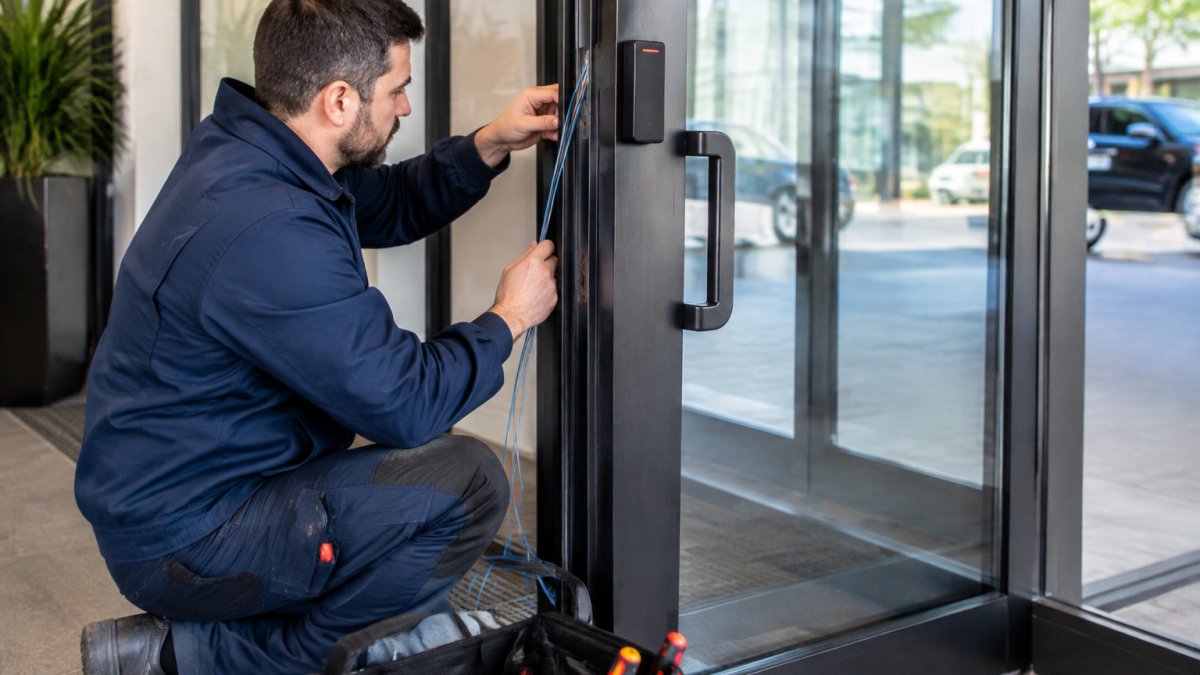
A typical layout runs like this:
- Reader mounts outside the door at roughly 1.2 metres, wired back to the controller.
- Request-to-exit sensor mounts above the door inside, wired to the controller.
- Door position switch sits in the frame and reports open or closed.
- Locking device receives power from the controller or a local power supply unit.
- Controller sits in a locked closet and connects to the network.
- Power supply provides the correct voltage and battery backup.
Low-voltage cabling should stay separate from line voltage, and every run needs to be documented. The UL 294 access control system standard covers the equipment and installation requirements our work is measured against. If an existing lock fails mid-project, commercial lock repair same day: what to expect explains what a same-day callout involves.
Access Control System Installation Steps, From Rough-In to Commissioning
- Rough-in. Run cable, mount backboxes, and set the power supply location.
- Mount hardware. Fit readers, strikes or mag locks, sensors, and switches.
- Terminate. Land every conductor at the controller and label it.
- Power up. Check voltage at each device before connecting the controller.
- Program. Create users, access levels, and door schedules in the software.
- Commission. Test every credential, every exit, and every alarm condition.
- Document and train. Hand over as-built notes and show staff how to add a user.
Commercial Access Control Installation Cost: What Drives the Number
Commercial access control installation cost depends on door count, door type, credential choice, and wiring distance. Pricing depends on the specifics of each building, and pricing depends on door count, door type, credential choice, and wiring distance.
Break the number into four buckets and the quote stops being a mystery:
- Hardware per door. A reader, a locking device (strike or mag lock), a request-to-exit sensor, a door position switch, and a local power supply.
- Controller and head-end. One controller typically serves two to eight doors. Add the server or cloud subscription, the software license, and the badge printer if you issue cards in-house.
- Installation labor. Rough-in, mounting, termination, programming, and commissioning. Labor scales with door condition and cable path, not with door count alone, a door in a finished wall with no ceiling access can cost more to wire than two doors in an open warehouse.
- Ongoing cost. Credentials (cards are consumable; mobile credentials shift cost to the phone), software maintenance, battery replacement in power supplies, and service calls.
Request a quote after a site visit so the number reflects your building. For a breakdown of what our commercial work covers, see our commercial locksmith services.
Cybersecurity, Code Compliance and Integration With Building Systems
An IP-based controller is a small computer on your network, and it needs treating like one. Default passwords, open ports, and unpatched firmware are the three weaknesses we find most often. A short hardening checklist can help keep the system secure:
- Change admin credentials on day one. Every controller ships with a default login; leaving it is the single most common finding.
- Put controllers on a separate VLAN. Access control traffic should not share a broadcast domain with guest Wi-Fi or point-of-sale devices.
- Close unused ports and disable unused services. Most controllers expose a web interface and a management port; turn off what you do not use.
- Keep firmware current. Subscribe to the manufacturer’s security notices and schedule updates like any other network device.
- Use encrypted credentials where supported. Mobile and smart-card credentials should use the encrypted variant, not the legacy proximity format that can be cloned.
- Log and monitor. Forward door and admin events to your logging system so a forced door or a failed login is visible.
On compliance, two areas matter in commercial buildings. ADA rules govern reach ranges, operating force, and clear width for door hardware, and the ADA Standards for Accessible Design spells out the requirements. The NFPA 101 Life Safety Code overview is the reference our technicians work from, and the UL 294 access control system standard covers the equipment and installation requirements the work is measured against.
Integration with a building management system lets access events feed into HVAC, lighting, and alarms. The practical benefit is one dashboard instead of three, and a door that unlocks can trigger lights and comfort settings for that zone.
A common pattern is to phase integration: get the access control system commissioned and hardened first, then bridge to the BMS in a second phase once the door list is stable. That keeps the security scope from being held up by the building automation schedule.
Schedule Your Commercial Access Control Installation
A door that locks reliably is a small thing until it fails on a busy morning. If your building has doors with worn hardware, shared keys, or no record of who entered, an access control system solves all three at once.
Natick Finest Locksmith installs commercial access control across the Greater Boston area with experienced technicians, same-day service, and code-compliant work. We are available every day of the week.
Get started with Natick Finest Locksmith and secure your first door this week.
Frequently Asked Questions
How long does a commercial access control installation take?
A single door typically takes a few hours to a full day once the site survey is done and hardware is on hand. Multi-door projects run longer because low-voltage cabling, power supply units and network drops have to be pulled between doors before any credential readers go up. A 10-door office build-out can stretch across several days or be phased door by door so staff keep working. Ask for a written schedule that separates rough-in work from commissioning, since the two stages have very different downtime.
Can an access control system work with existing doors and locks?
Often yes, but it depends on the door hardware. Wood and hollow metal doors in decent condition usually accept electric strikes or magnetic locks with minor modification. Glass storefront doors, narrow stile aluminum frames and doors without closers may need new hardware or a different lock type. A site survey should check door thickness, frame material, hinge condition and whether a power transfer is needed. Reusing sound doors keeps commercial access control installation cost down; replacing failing ones avoids callbacks.
What equipment is needed for a commercial door access control system?
A typical setup includes access control panels or IP-based controllers, credential readers or biometric scanners, electric strikes or magnetic locks, request-to-exit sensors, door position switches, power supply units and low-voltage cabling. On the software side you need a management platform for user database management, access levels and audit trails. Multi-factor authentication and firmware updates matter for anything network-connected. The exact list comes out of the site survey, since door count and traffic volume decide controller capacity.
Should a business hire a professional for access control installation?
For most commercial buildings, yes. Installation touches electrical power, low-voltage cabling, fire and life safety code, and ADA requirements for door hardware and exit routes. A pro handles the wiring infrastructure, configures fail-safe versus fail-secure behavior correctly, and leaves you with working audit trails and documentation. DIY work on egress doors is where serious liability starts. A licensed locksmith or installer will also tell you what your existing doors can and cannot support before you buy hardware.
How much does commercial access control system installation cost?
Pricing depends on door count, lock type, reader technology, cabling distance and whether network infrastructure already exists. A single-door system with a keypad or card reader sits at the low end; multi-door networked systems with biometric scanners and building system integration cost more per door. Retrofitting old doors adds labor. Pricing depends on door count, lock type, reader technology, cabling distance, and existing infrastructure, so request a quote from Natick Finest Locksmith for current pricing.
How do you maintain a commercial access control system after installation?
Maintenance is mostly software and hardware hygiene. Apply firmware updates to controllers and readers on a schedule, review audit trails for unusual access patterns, and remove credentials for departed staff the same week they leave. Test request-to-exit sensors and door position switches monthly, and check backup power supply units quarterly. Magnetic locks and electric strikes should be inspected for alignment so they do not strain and fail early. A maintenance agreement with your installer covers most of this without tying up your own staff.

