
Quick Summary
Smart locks can be hacked, but the most common risks are weak account passwords, outdated firmware and unprotected Wi-Fi rather than direct attacks on the lock itself. A well-maintained smart lock with strong authentication is hard to compromise remotely, while an unupdated lock on a weak account is not.
- Smart locks face physical threats like forcing the door and digital threats like account takeover.
- Compromised accounts and neglected updates are the most common real-world attacks on smart locks.
- Use a unique password and two-factor authentication on the lock’s app account.
- Install firmware updates as soon as they are available to close known security flaws.
- Keep a mechanical backup key in a safe place in case of battery failure or outage.
Table of Contents
- Can Smart Locks Actually Be Hacked?
- How Smart Lock Attacks Work, by Access Method
- Are Smart Locks Safer Than Key Locks?
- How Encryption and Authentication Protect Your Lock
- How to Secure a Smart Lock: A Prioritized Checklist
- Firmware Updates, Vulnerability Reports, and What to Do If Your Lock Is Compromised
- Choosing a Smart Lock You Can Trust and Getting It Installed Right
- Frequently Asked Questions
Can a smart lock actually be hacked? Yes, though the real risk is usually a weak account, an outdated app or an unpatched device, not someone cracking the lock’s core mechanism in minutes.
Most smart locks are reasonably secure when set up correctly.
Quick answer: A well-maintained smart lock with strong authentication is hard to compromise remotely. An unupdated lock on a weak account is not.
Can Smart Locks Actually Be Hacked?
Yes. Security researchers have demonstrated weaknesses in several commercial smart locks over the years, including flaws in wireless pairing and in how some devices handled data.
A useful way to think about it is that a smart lock faces two kinds of threat. The first is physical, such as forcing the door or picking the cylinder. The second is digital, such as intercepting a signal, guessing a code, or taking over an account.
- Known weakness types: wireless signal interception, weak or reused passwords, and outdated firmware
- Less common: direct attacks on the lock’s internal encryption
- Most common in practice: compromised accounts and neglected updates
How Smart Lock Attacks Work, by Access Method
Most guides lump smart lock attacks into one bucket. That is not useful when you are trying to decide what to harden first. A smart lock is really six access channels stacked on one door, and each channel has its own attacker, its own skill level, and its own fix. Threat-model your own lock by walking through each channel below and asking whether you actually use it.
The App Account
This is the channel most likely to be attacked in practice, because it is remote, scalable, and often protected by a password the owner reused on a dozen other sites. An attacker who obtains your login, through a breach at another service, a phishing page that mimics the lock maker’s login screen, or a brute-force attempt against a weak password, can often unlock the door from anywhere and may be able to add their own access code.
Bluetooth
Bluetooth is a short-range radio, so the attacker generally needs to be within roughly 30 to 100 feet of the door, depending on walls and the lock’s radio. The classic attack is a replay: capture the unlock command and send it again later. Locks that use rotating or one-time codes defeat replay; older or cheaper locks may not. A second risk is pairing mode, if the lock can be put into pairing without physical confirmation, a nearby attacker may be able to pair a device.
Wi-Fi and the Cloud
Wi-Fi locks depend on the home network and on the manufacturer’s cloud service. A weak router passphrase, an outdated router firmware, or a guest network shared with untrusted devices all widen the path to the lock. On the cloud side, the questions to ask are whether commands are encrypted in transit, whether the manufacturer stores your unlock history, and what happens to remote access if the company’s service goes down.
The Keypad
Keypad attacks are low-tech and still effective: shoulder-surfing a code, guessing a birthday or the same four digits many people use, or reading wear and fingerprint smudges on the buttons. Some locks let you set a duress code or a one-time guest code, which limits the damage if a code leaks. Change shared codes when a guest, contractor, or renter leaves, and avoid codes that match your address or phone number.
The Physical Keyway
Many smart locks still include a mechanical key cylinder as a backup. That cylinder is a physical lock, and it can be picked, bumped, or bypassed the same way a traditional deadbolt can. A low-quality backup cylinder can quietly undo the electronic security above it. If the lock has a keyway, ask what cylinder it uses and whether it can be upgraded or rekeyed.
The Device Itself
Finally, there is the lock’s own firmware and hardware.
A quick way to use this list: for each channel, mark whether you use it, who could reach it, and what protects it. The channels you use and have not protected are where your risk actually lives.
The article breaks smart lock risk into six access channels, each with its own attacker and fix.
| Access channel | Main risk | Key fix |
|---|---|---|
| App account | Reused or phished password | Unique password plus two-factor authentication |
| Bluetooth | Replayed unlock command, open pairing mode | Rotating codes; require physical confirmation to pair |
| Wi-Fi and cloud | Weak router passphrase, outdated router | Strong Wi-Fi encryption; keypad access when cloud is down |
| Keypad | Shoulder-surfing, guessed or shared codes | Duress or one-time guest codes; change codes when people leave |
| Physical keyway | Picked, bumped or bypassed backup cylinder | Check the cylinder; upgrade or rekey it |
| Device firmware | Known flaws left unpatched | Install updates as soon as they are available |
Are Smart Locks Safer Than Key Locks?
It depends on what you are protecting against. A smart lock offers features a key lock cannot: access logs, remote codes for guests, and an alert when the door opens.
A key lock has fewer moving parts to fail and no network connection to exploit.
The safest option is often a smart lock installed on a solid door and paired with a mechanical backup key. That combination covers both digital and physical risks.
How Encryption and Authentication Protect Your Lock
Encryption scrambles data so an eavesdropper cannot read it. Look for locks that use strong, current encryption standards, and avoid any product that sends passwords in plain text.
Authentication confirms that the person trying to unlock the door is authorized. The strongest setups combine a unique password, two-factor authentication, and, where available, biometric access such as a fingerprint.
Check the lock’s documentation for the specific encryption method it uses. Vague claims without detail are a warning sign.
How to Secure a Smart Lock: A Prioritized Checklist
Work through these steps in order, starting with the highest-impact protections.

- Change the default credentials. Replace any factory password or access code immediately.
- Use a unique, strong password for the lock’s app account, not one you use elsewhere.
- Turn on two-factor authentication for the account.
- Update the firmware as soon as the setup process allows, then keep it current.
- Secure your Wi-Fi network with WPA3 or WPA2 encryption and a strong passphrase.
- Disable features you do not use, such as Bluetooth when you only need remote access.
- Review access logs monthly and remove codes for former guests or staff.
- Keep a mechanical backup key in a safe place in case of battery failure or an internet outage.
Watch out: Many people set up a smart lock once and never touch the firmware again. Unpatched devices are one of the most common ways smart locks end up compromised.
Firmware Updates, Vulnerability Reports, and What to Do If Your Lock Is Compromised
Firmware is the software inside the lock, and it is where most disclosed smart lock flaws get fixed. A lock that receives updates is a different product from the same lock that does not. Treat update support as a buying criterion, not an afterthought.
How to Check Update and Support Status
Before you buy, and again once a year after, confirm three things. First, does the manufacturer publish firmware release notes or a security advisory page? Second, what is the stated support period, how many years after purchase will the lock still receive security updates? Third, what happens at end of support: does the lock keep working locally, or does it lose remote features?
A common pattern is that budget locks stop receiving updates within a few years while premium lines support products longer. If you cannot find a support commitment in writing, assume the shorter end.
Reading Vulnerability Reports Without Panic
When a researcher discloses a smart lock flaw, the headline rarely tells you whether it affects your lock. Ask what was tested, when, and on which firmware version. A finding from several years ago may have been patched; a finding on a discontinued model may not apply to current products. Look for whether the manufacturer responded, how quickly a fix shipped, and whether the researcher confirmed the fix.
If You Suspect Your Lock Was Compromised
Act in this order, and keep a written record of what you did and when.
- Change the app account password from a device you trust, and turn on two-factor authentication if it is not already on.
- Remove unfamiliar users and codes in the app, and review the access log for entries you cannot account for. Note the timestamps.
- Update the firmware to the latest version, or contact the manufacturer if the app will not update.
- Check the physical lock for tampering, a loose battery cover, scratched keyway, or misaligned strike plate can indicate an attempt.
- Rekey or replace the mechanical cylinder if a key may have been copied, and consider replacing the lock entirely if it is out of support or the manufacturer cannot confirm a fix.
- Report it to the manufacturer and, if you believe a crime occurred, to local law enforcement. Reporting also helps other owners if the flaw turns out to be widespread.
Watch out: changing the app password alone does not remove an access code an attacker added inside the app, you have to delete the user or code explicitly, then confirm it is gone from the access log.
Maintenance That Prevents the Next Incident
Put a recurring reminder in your calendar to check for firmware updates and review access logs every few months, and again whenever a guest, renter, or contractor leaves. Replace the batteries on the manufacturer’s schedule rather than waiting for a low-battery warning, since some locks behave unpredictably at low power. A lock that sticks, misaligns, or has a loose strike plate is both a security and a reliability problem, and it is worth a professional look before it fails.
Choosing a Smart Lock You Can Trust and Getting It Installed Right
When comparing products, look for these features: encrypted communication, two-factor authentication, regular firmware updates, a clear support policy, and a mechanical key backup.
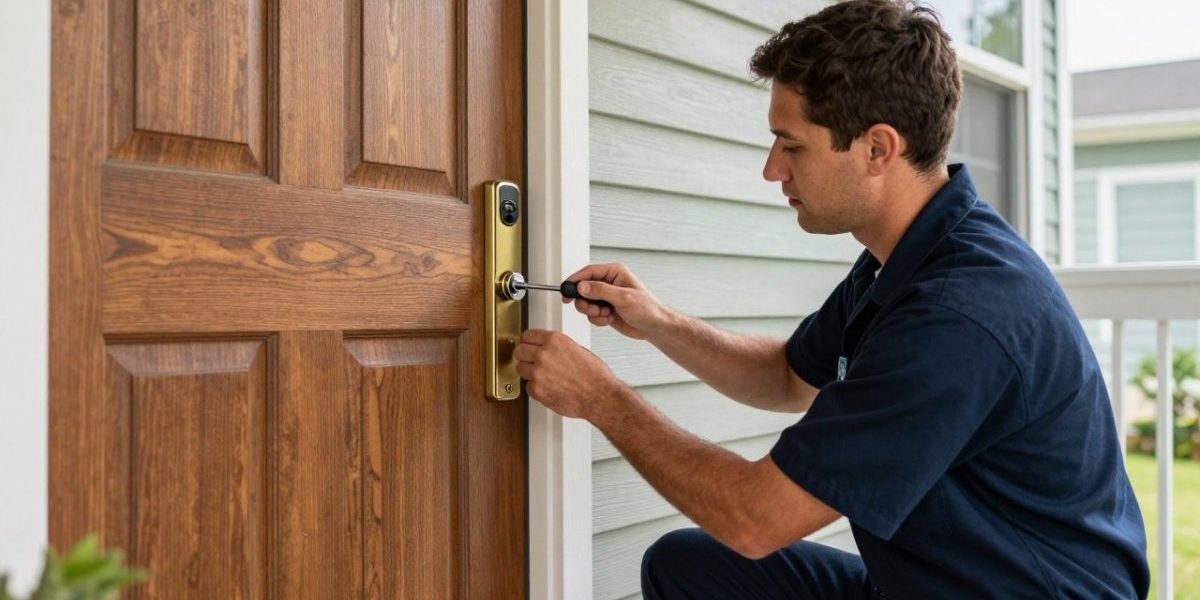
Installation matters as much as the product. A smart lock fitted to a weak door frame or misaligned strike plate can be forced open easily.
For help choosing and installing a smart lock, call Natick Finest Locksmith.
Last Updated: November 15, 2026
Frequently Asked Questions
Can someone hack my smart lock?
A smart lock can be attacked, but most successful break-ins target weak configuration rather than the lock’s core encryption. Common routes include reused passwords on the linked app account, unpatched firmware, and a compromised phone or email account that controls the lock. Turning on two-factor authentication, using a unique password, removing old guest codes, and installing updates closes most of these paths. Attacks requiring radio interception or physical tools are rarer and typically need time and proximity to the door.
How secure are smart locks really?
Security varies widely by model, vendor support, and how the lock is set up. Well-maintained locks with current firmware, encrypted communication, and two-factor authentication on the account resist casual attacks well. Older or unsupported models, default passwords, and locks with weak wireless protocols are the easiest to compromise. Physical strength matters too, so check the deadbolt rating and whether the lock still works with a backup key if electronics fail.
Are smart locks safer than key locks?
Neither type is automatically safer. Traditional keyed locks are not vulnerable to remote attacks, but they can be picked, bumped, or copied by anyone who gets a key. Smart locks remove copied keys and offer access logs and remote revocation, but they add software and wireless attack surfaces. A quality smart lock with a strong deadbolt, current firmware, and two-factor authentication is generally a reasonable upgrade for most households.
What should I do if I think my smart lock has been hacked?
Check the access logs in the app for codes or users you do not recognize, then delete unknown codes and users. Change the password on the lock’s app account and enable two-factor authentication, and reset the lock to factory settings if the logs show unauthorized entry. Install any available firmware update, and consider rekeying or replacing the lock if you cannot confirm the device is clean. Contact a licensed locksmith if you need help securing the door physically.
